Account

Sign in

Manage your events, classes and access.

No account yet?Create account

Racevo Studio

Four parts. One licence.

One program on the broadcast PC and a page for everyone on the crew. Here is what each part does, and a sample race you can run yourself.

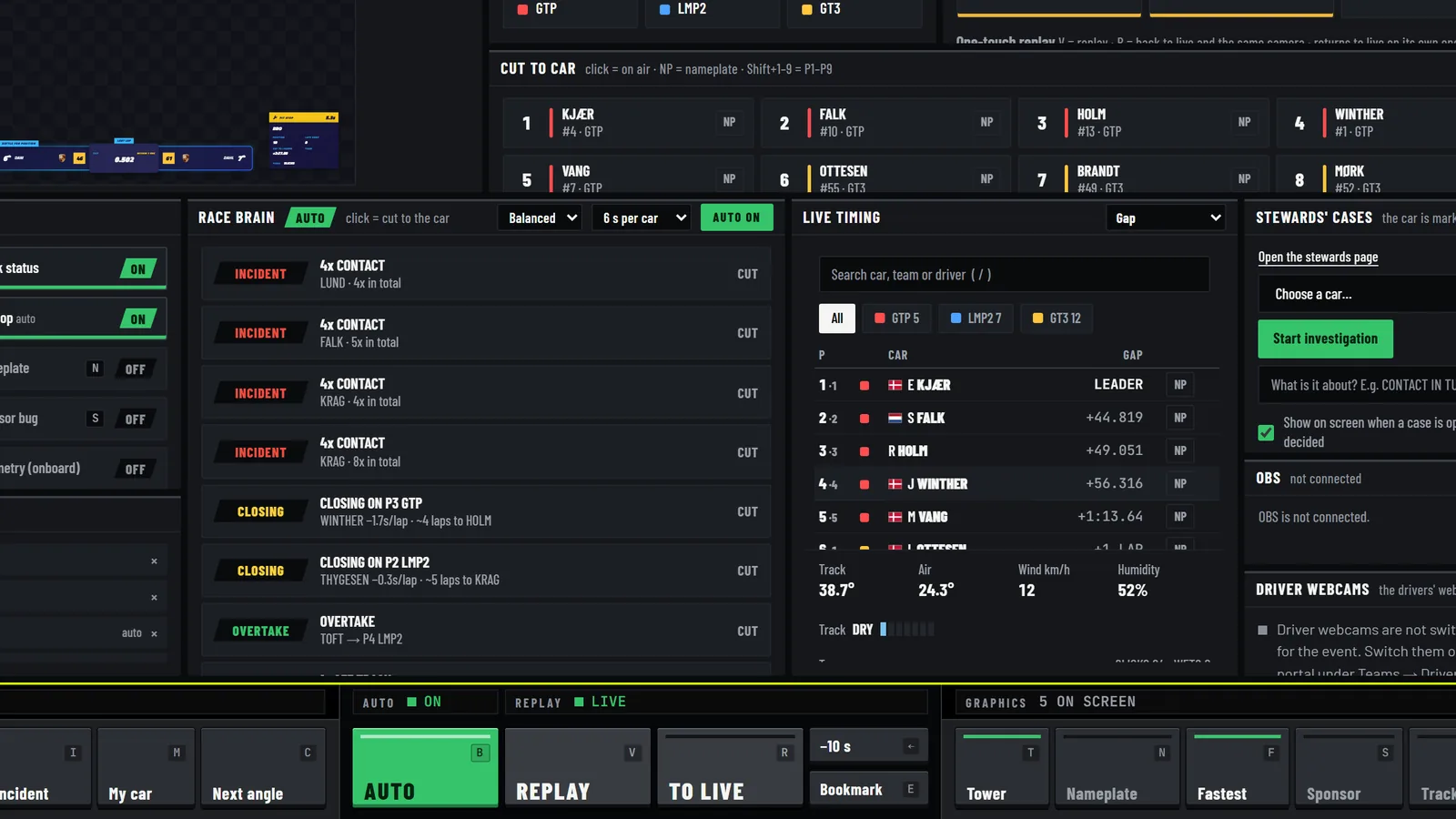
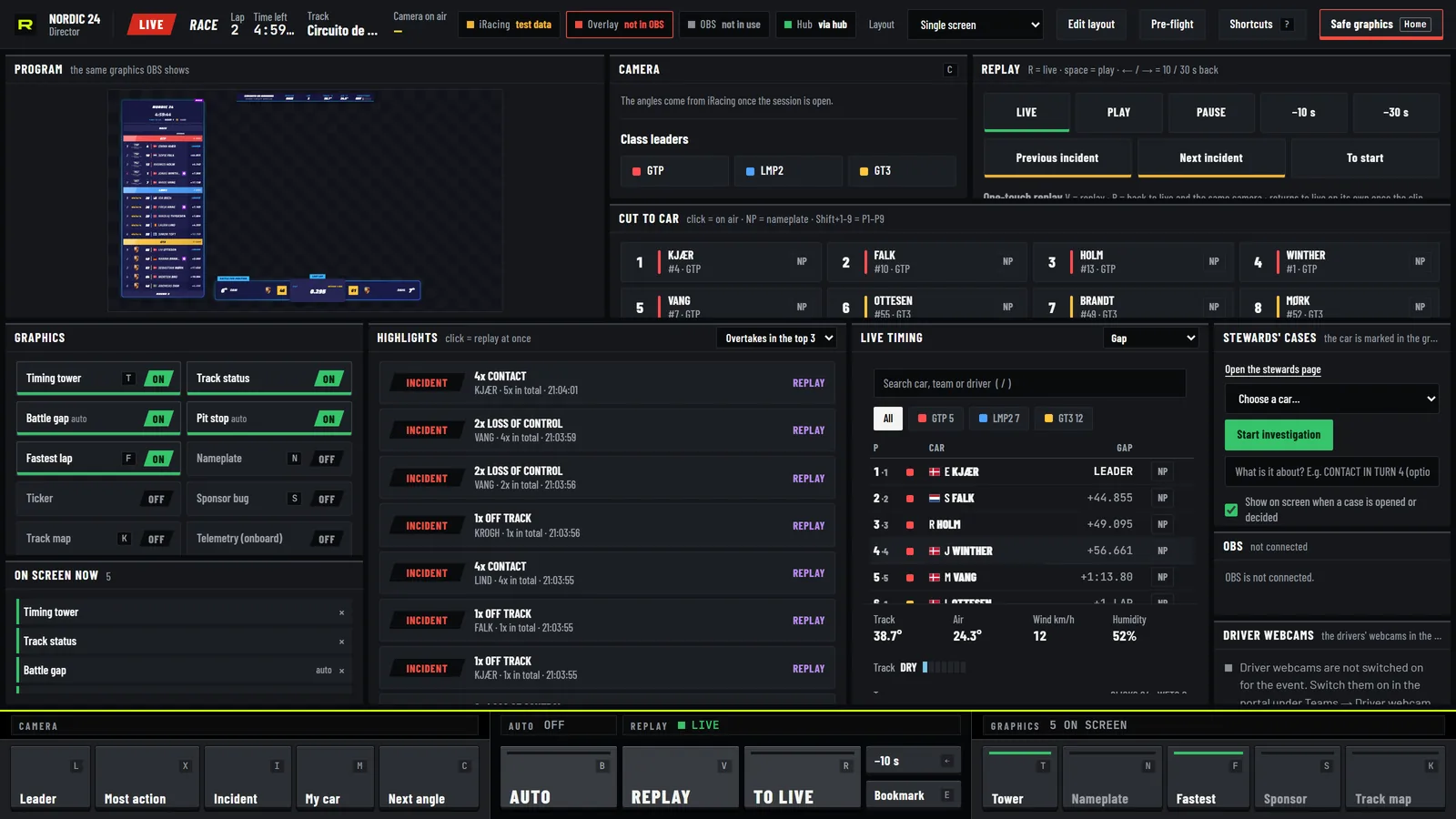
The director during a test race: the program picture, the cameras, the cars and the graphics on one screen
The director
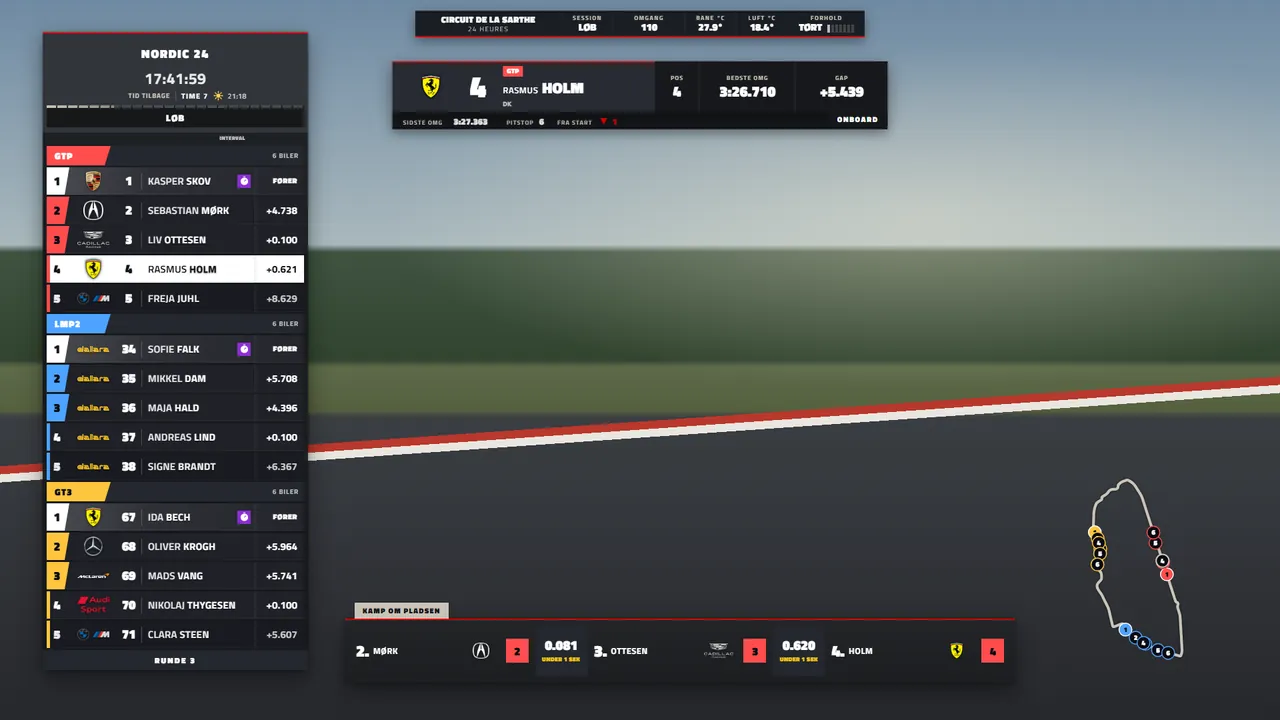
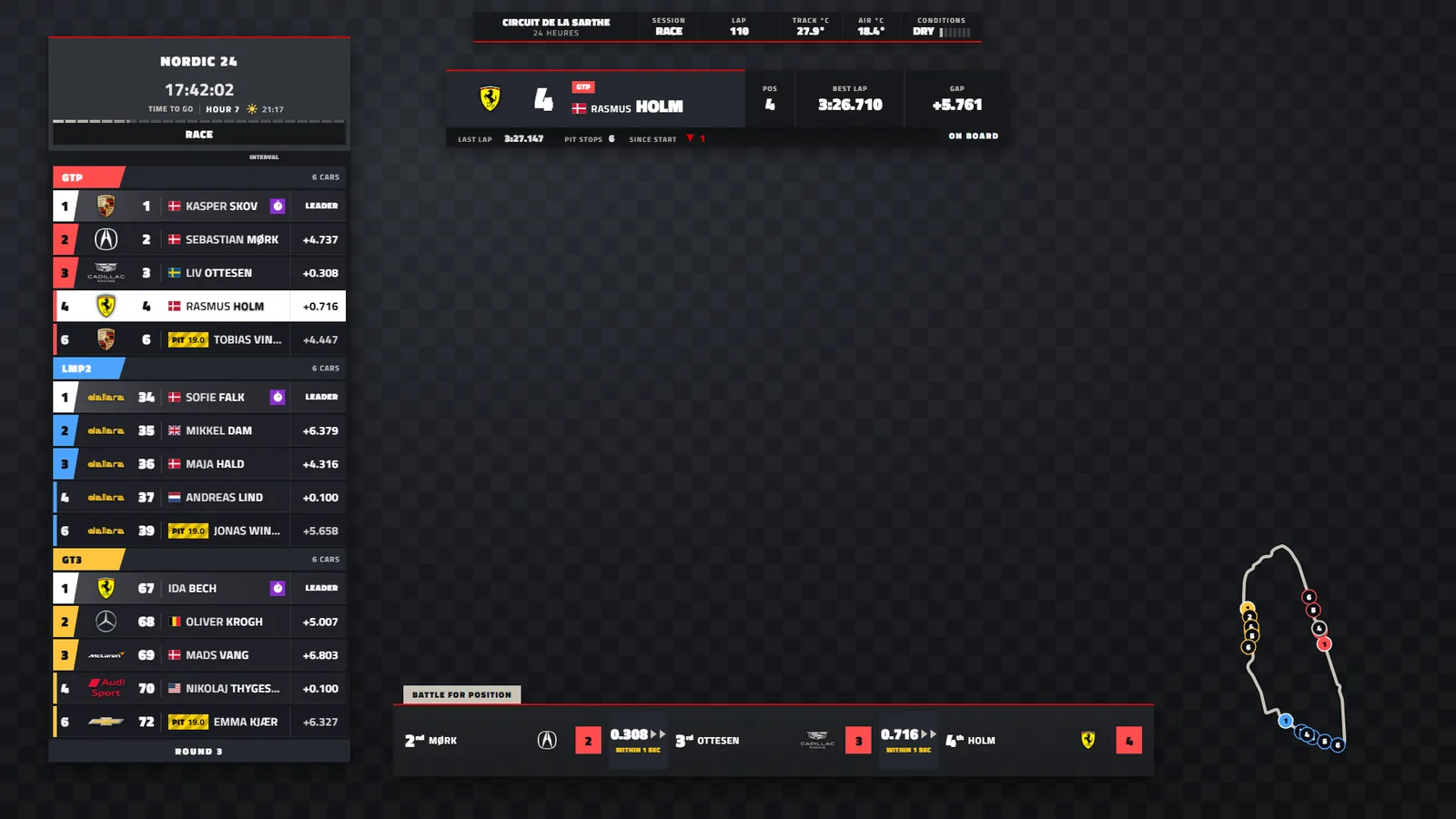
Racevo's broadcast graphics on their own: the timing tower, a battle, a nameplate and the track map
The graphics package

01Broadcast graphics

Television graphics in your series' look

A timing tower, battles, nameplates, the track map, pit stops, safety car and full screens for the grid, the result and the championship. Four styles with your logo, colours and fonts. The whole package goes into OBS or vMix as one browser source.

  • Track maps for over 400 tracks
  • Stints, tyres and the time of day for endurance races
  • Points and the championship, also during the race
  • Result images for Instagram after the flag
  • Vertical 9:16 for TikTok LIVE at the same time
  • Split screen with your own picture
Race Brain in the director: Auto on, and the moments it found as a list, each one click from the car
Race Brain

02Director and Race Brain

Run the show, or let it run itself

The director puts the graphics, the cameras and the replays on one screen in any browser, and several operators can share it. Switch on Auto and Race Brain reads iRacing's live data: an incident or a flag cuts to the car at once, battles and overtakes get the close cameras, and quiet laps show the field.

  • Race Brain spots incident points, cars off track, slow cars and flags
  • One key replays the moment, and highlights collect by themselves
  • Scenes, rundown and rotation for the graphics
  • A minimum time per car, for example 15 s, keeps the pace calm
  • Runs from a Stream Deck
  • One person can run the whole broadcast
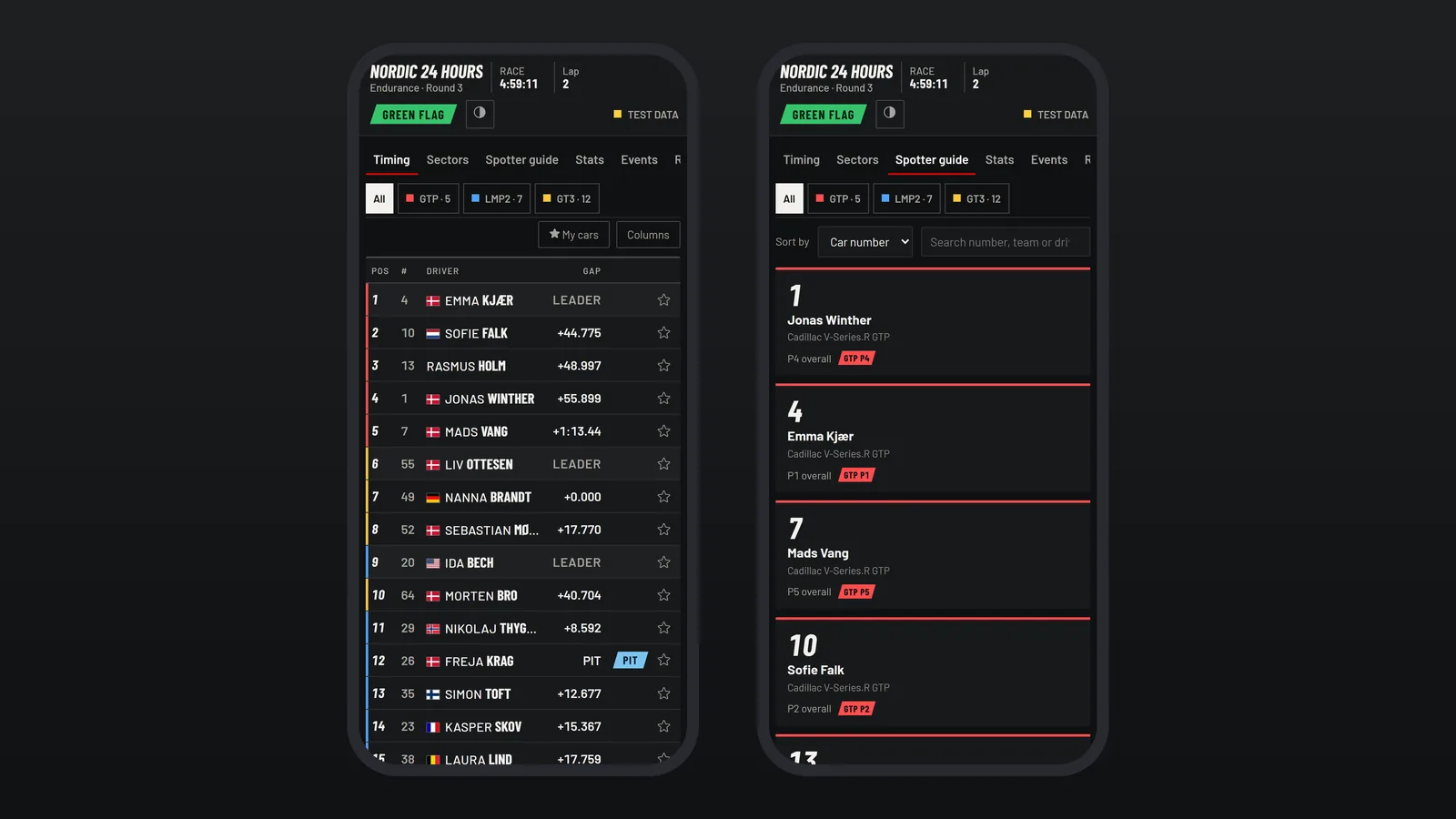
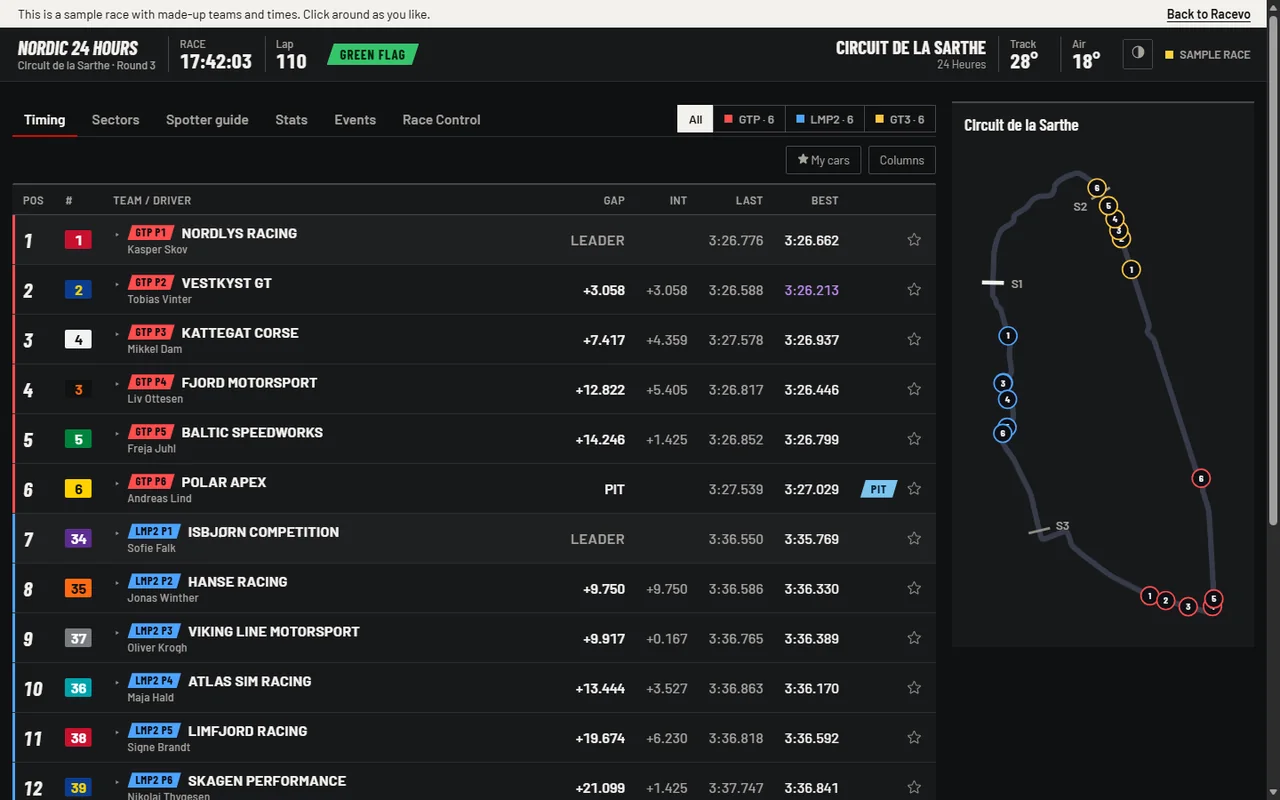
Live timing on two phones: the standings by class with gaps, and the track map with every car
Live timing

03Live timing

A timing screen your viewers open on their phone

One public link, no login. Standings by class, sector times, the track map, a spotter guide, statistics, events and race control. Viewers star their own cars and choose their own columns.

  • Sector times and laps per car
  • Each driver's time in the car
  • The race told as a position graph
  • Dark and light theme
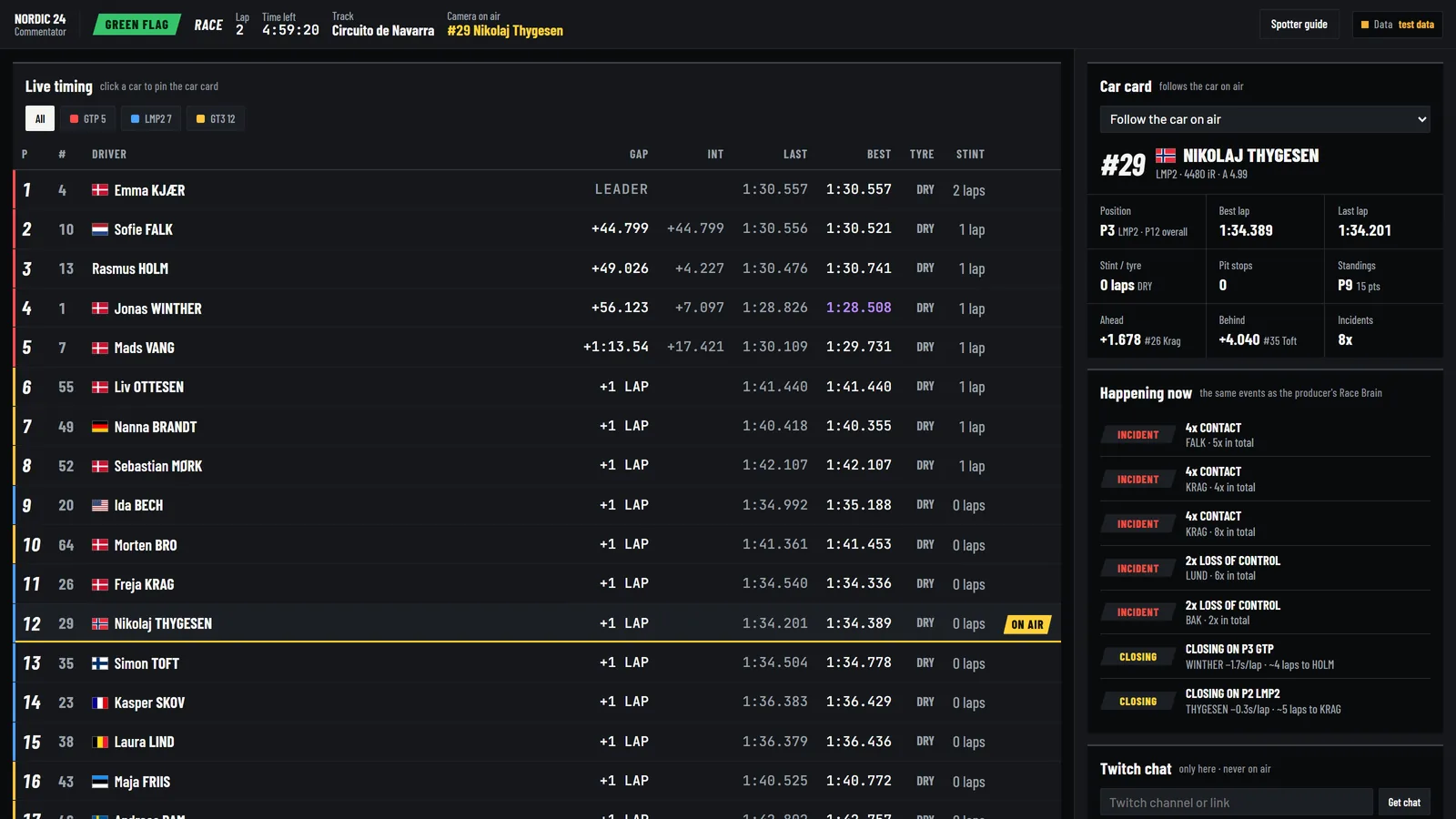
The commentator page during a test race: the standings, the car on camera and the latest battles
The commentator page

04Race control and crew

A page for everyone behind the race

Race control opens cases and decides penalties, and the decisions show in the graphics and in live timing. Commentators get the standings, the battles and the car on camera, with AI race notes as an add-on. Teams plan stints and report driver changes from the phone, and drivers send their webcam from the car's own link.

  • Drive-through, stop-go and time penalties, sent to iRacing with admin rights
  • Auto Steward, Sequencer and an incident report
  • Twitch chat on the commentator page
  • Racevo Stint: a shared stint plan with fuel and pit stops
  • Driver webcams, approved by the director, never with sound
  • Nothing to install for drivers or teams
Racevo Stint

Try the graphics

Run the show yourself

The real graphics on a sample race. Pick a segment in the rundown, switch the style and the look, and see what your viewers will see.

Program
The graphics over a race picture: timing tower on the left, track status and onboard tag at the top, a battle for position at the bottom and the track map on the right
Style

Look

This is how the graphics sit over the picture from iRacing. Pick a segment in the rundown.

Rundown

    Try it

    Try live timing

    A sample race with made-up teams is running right now. Click a car, pick a class and star your cars. It is the same page your viewers get.

    Live timing · sample raceOpen full size
    Live timing with the standings per class and a track map. Open the sample race to click around.
    Open the sample race
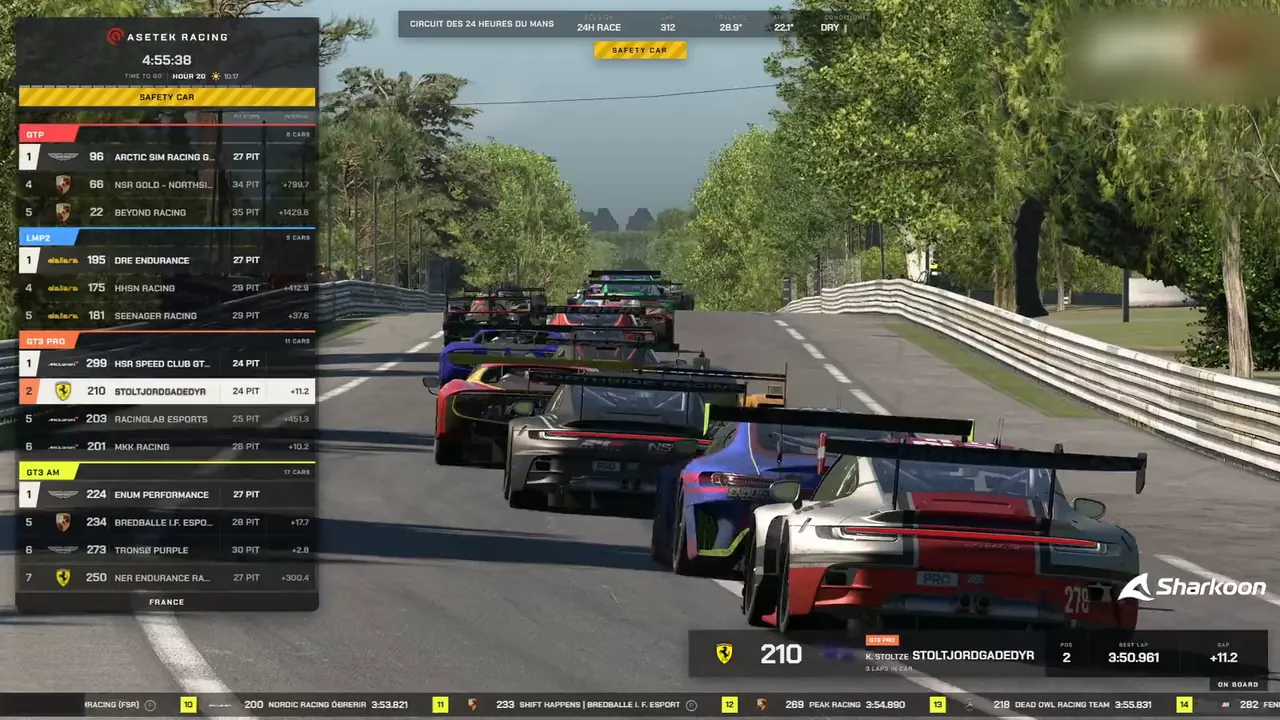
    A pack of GT cars behind the safety car in a 24-hour race, with the timing tower on the left

    Try it free

    Everything works with test data for 14 days, so you can rehearse before it counts. No card needed.

    • Create an account with Discord or e-mail
    • Install the agent on the PC with iRacing and OBS
    • Buy a licence when you go live

    Running a series? Book a demo